Windows Smart Surface
The desktop app selects the second landscape display by default and leaves the primary Windows display in place.
OmniTechs Smart Display
Custom-made to orderSmart Display is built on the existing CouchBridge interface. The Windows app opens on a second TV or monitor, brings official streaming services together and lets a paired phone act as a bounded remote—without turning your everyday work desktop into the controller. We deliver the setup as custom-made to order.
Custom-made to order. Physical phone use, secure pairing, delivery and price are confirmed per quotation.
Interface demo · Windows
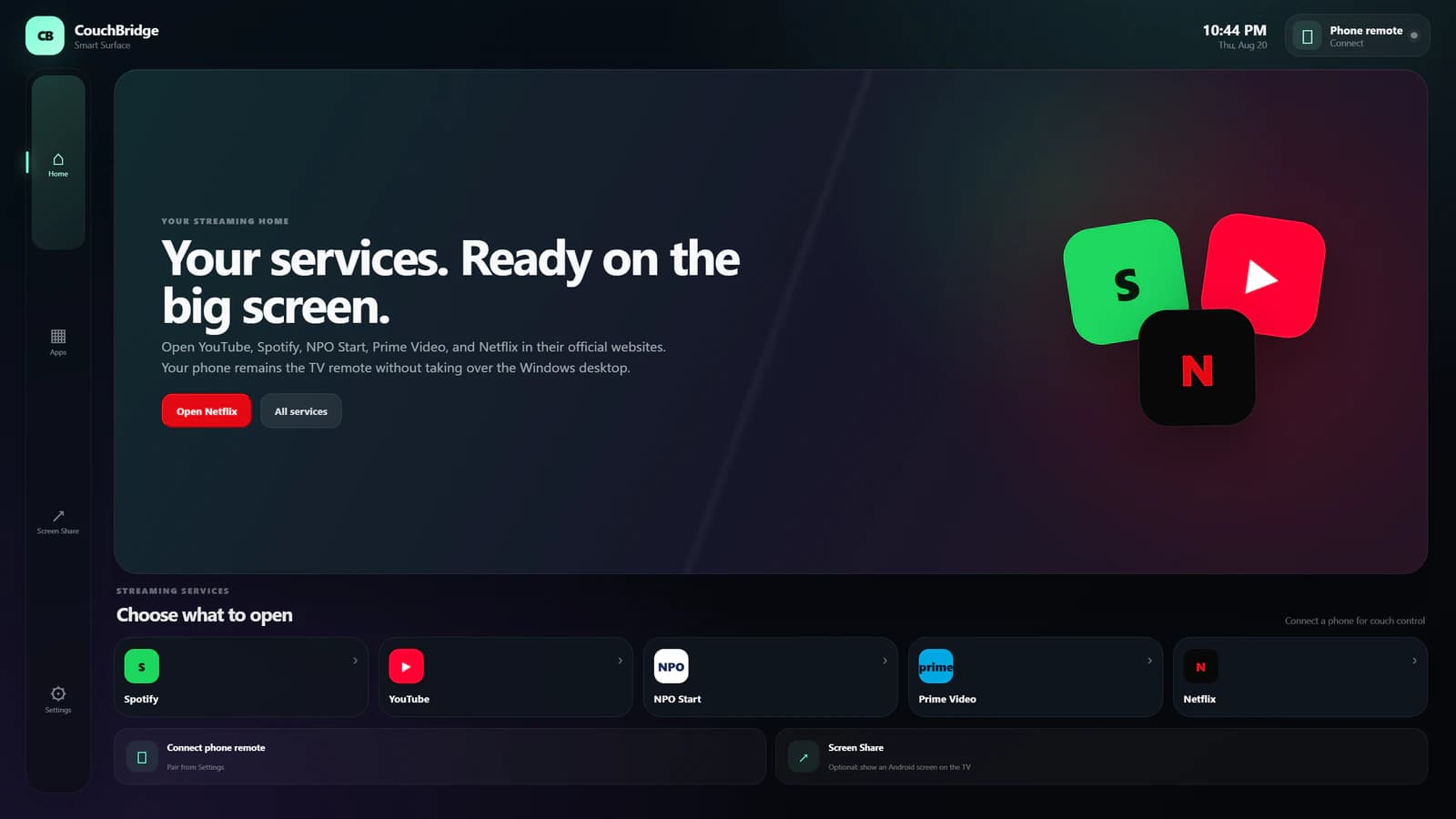
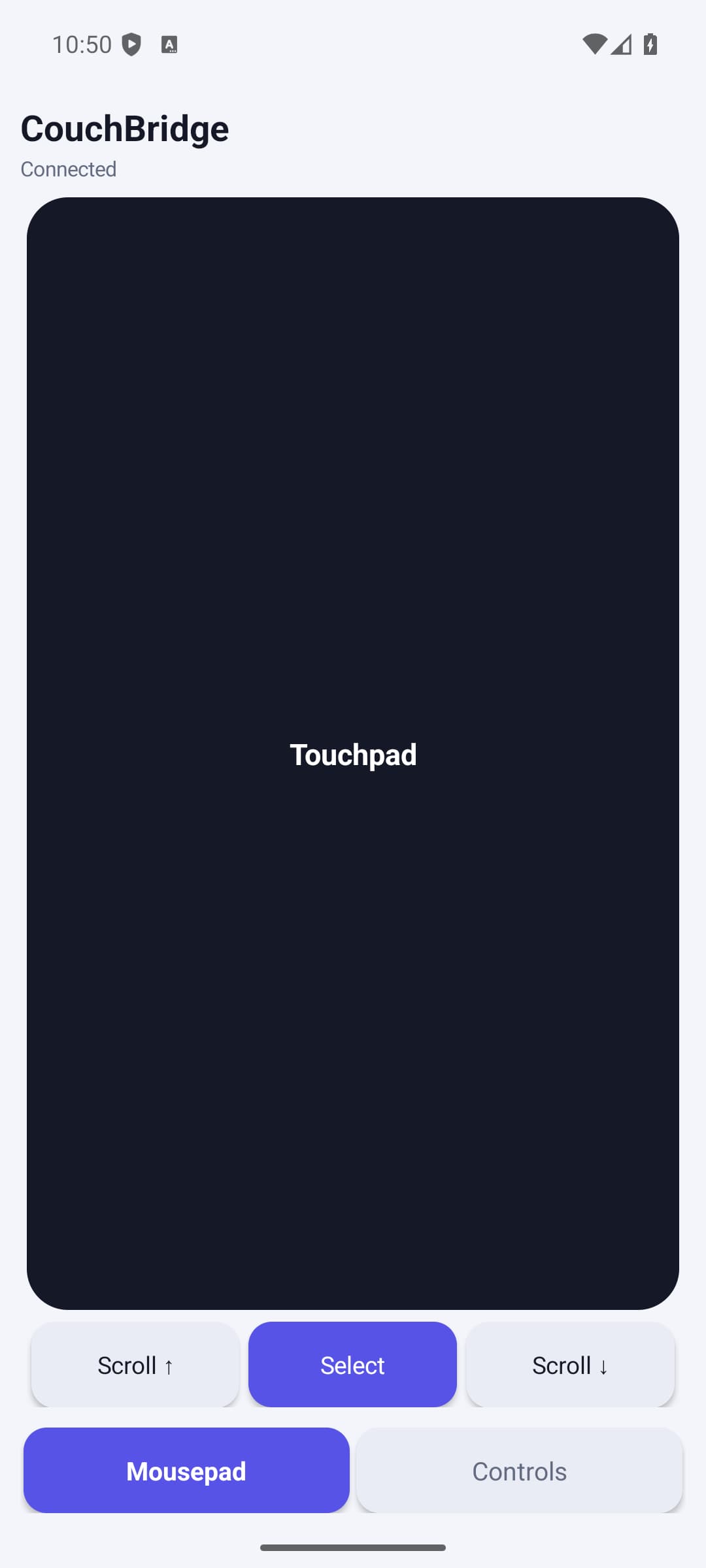
These screens show the current CouchBridge interface on Windows: Home, phone connection and screen sharing.
A TV-first starting point with fixed routes to the five supported official websites.
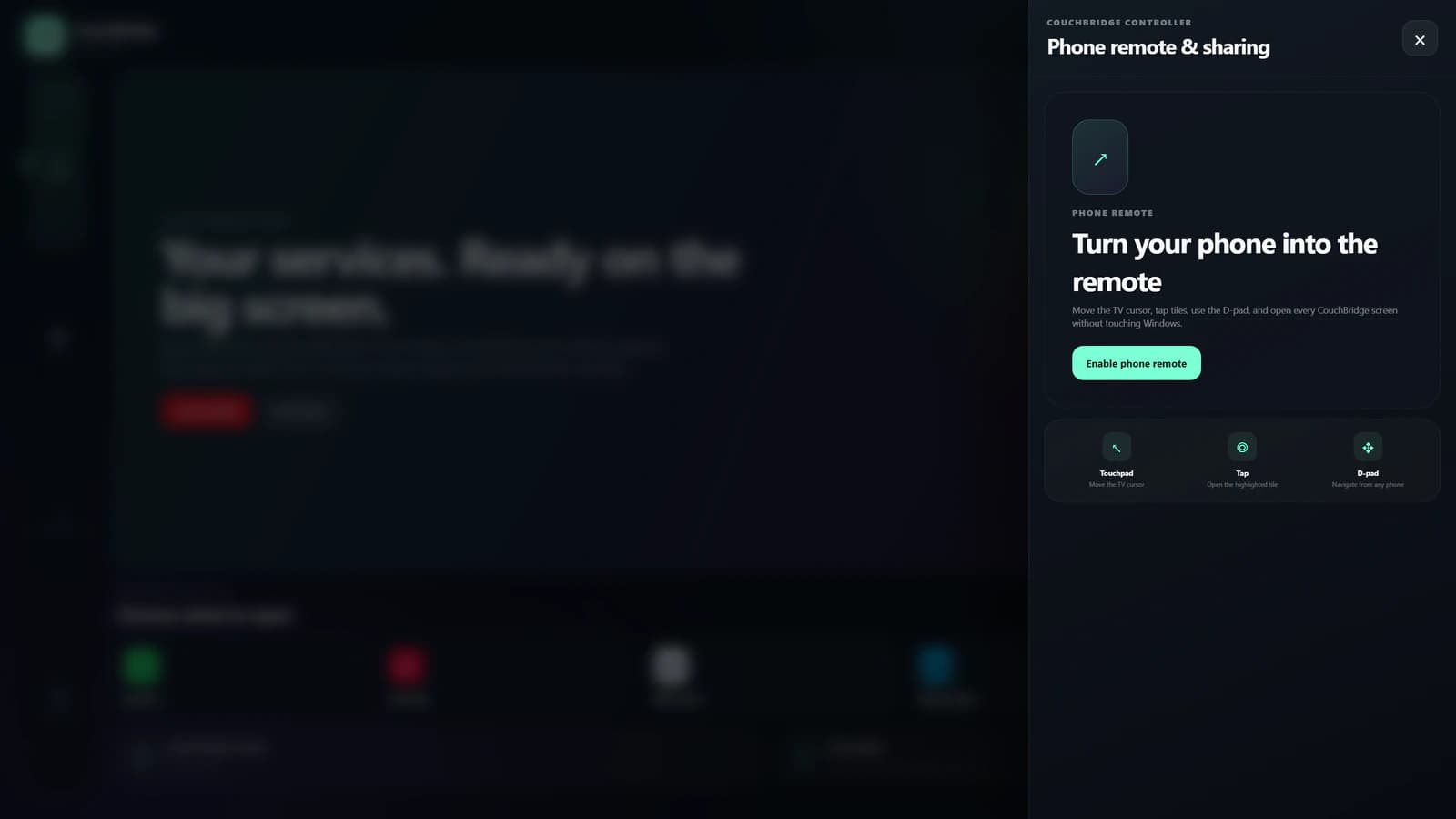
Pairing starts deliberately from this panel. The captured state is off and contains no QR code, token or local address.
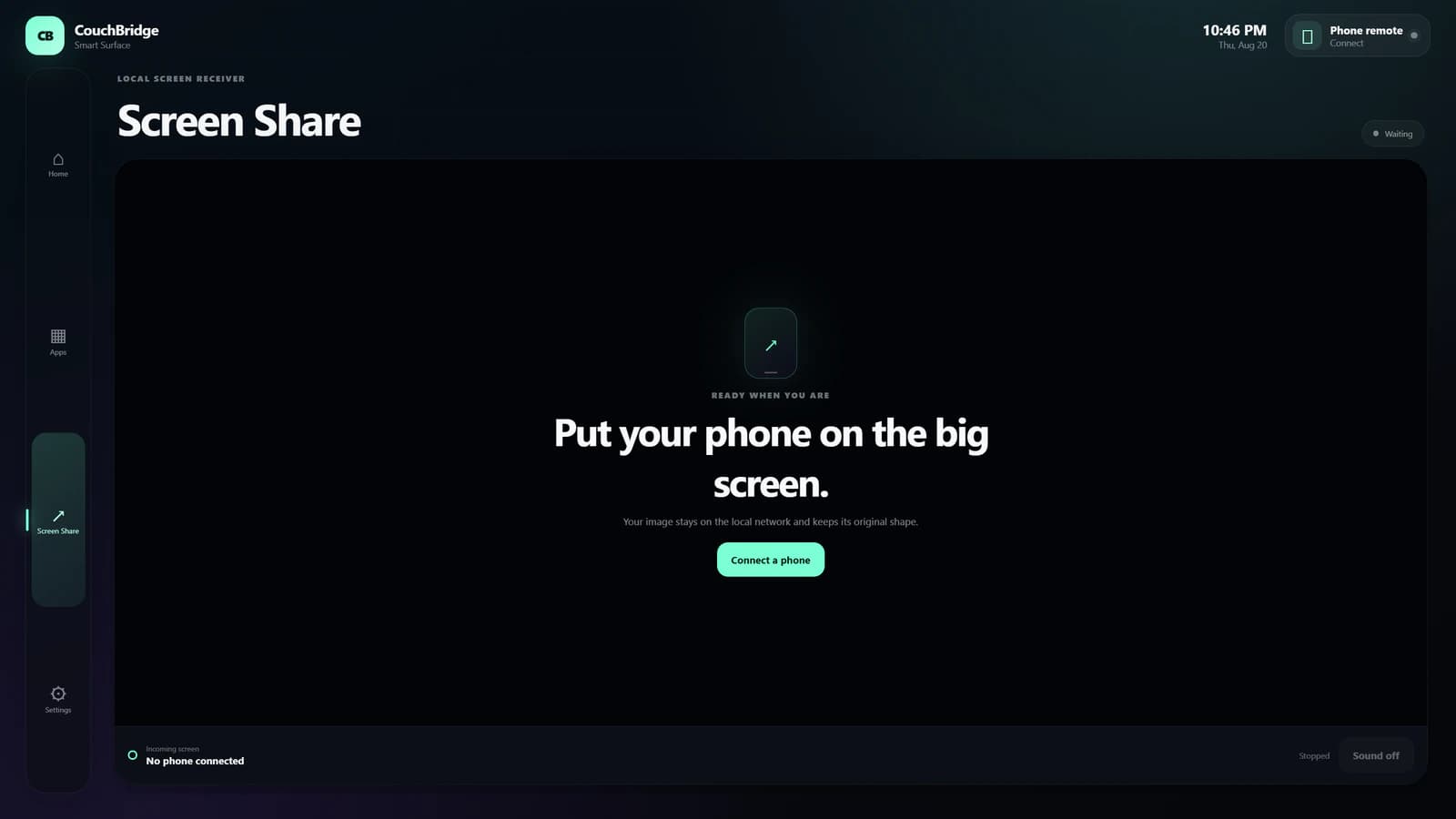
The receiver has a dedicated idle state and visibly waits for a paired phone.
The mobile app that comes with it
The Android app is part of Smart Display. It provides mouse control and a separate view for navigation, services, volume and optional screen sharing. The app shown here is the current development build; which features work in your setup is confirmed in the quotation.
OmniTechs Smart Display is the made-to-order product behind CouchBridge: a Windows Smart Surface that runs fullscreen on a second landscape TV or monitor while the primary display remains available for normal PC work.
It is not an Android TV operating system or a universal TV stick. The PC opens supported services on their official Chrome pages; the phone controls use a limited set of commands for that environment.
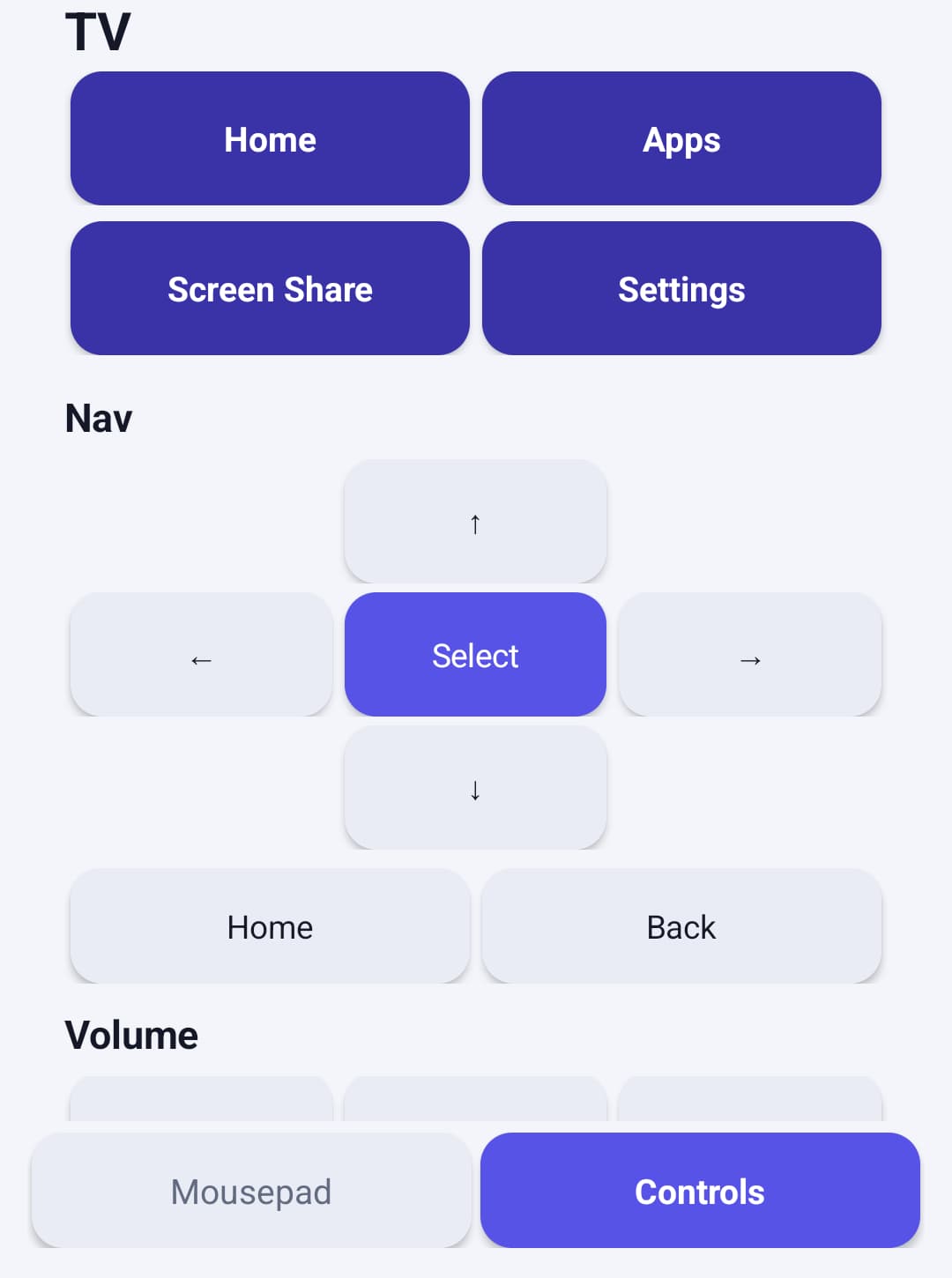
Navigation for Smart Surface and Windows volume.
A dedicated touch area for bounded cursor control on the surface opened by CouchBridge.
Current capabilities
The current development build shows how a Windows PC, second display and Android phone can work together. We deliver Smart Display as custom-made to order.
The desktop app selects the second landscape display by default and leaves the primary Windows display in place.
Spotify, YouTube, NPO Start, Prime Video and Netflix open fullscreen in dedicated Chrome profiles; account sign-in remains a local PC action.
The Android app provides mouse control, navigation, fixed shortcuts, services and Windows volume.
A connected phone can send its screen to the second display. Whether screen sharing and phone pairing work on your devices and network is checked before the quotation.
PC + TV + phone
CouchBridge deliberately separates the TV surface, the everyday Windows workspace and phone control.
Windows stays in extended-desktop mode. The current build targets a non-primary landscape display and does not change the primary-display setting.
CouchBridge opens fullscreen on the TV or monitor and exposes Home, Apps, Screen Share and Settings as fixed surfaces.
Enable the connection and scan the temporary QR code. Use Smart Display only on a trusted private network.
The remote opens only the configured services and actions. Sign in on the PC and never enter passwords through the phone controls.
From request to delivery
The Windows interface, streaming links and Android controls exist and are shown on this page.
There is no fixed price or immediate delivery. A request starts with checking your PC, display, phone and network; a written quotation follows and we build after your agreement.
Clear product boundaries
CouchBridge runs on the Windows PC and uses the second TV or monitor as its Smart Surface. The Android app is the remote and optional screen sender; it does not install an Android TV operating system on the television.
That choice reuses existing PC capability and official web services, while keeping the PC, a supported Chrome installation and Windows extended desktop as visible requirements.
The connection starts only after you enable it and scan a temporary QR code. Use the controls only on a trusted private network.
Never enter passwords or other secrets through the phone controls; sign in directly on the PC.
The controls use the Windows pointer and can briefly interrupt active work. Smart Display is therefore intended as a supervised setup, not for unattended use.
No. CouchBridge runs on a Windows PC and shows its interface on a second TV or monitor. The Android app acts as the remote and optional screen sender; it does not replace the TV operating system.
The current development build shows a Windows interface, fixed screens, links to streaming websites, phone controls and optional screen sharing. We deliver Smart Display as custom-made to order; what works in your setup is confirmed in the quotation.
Spotify, YouTube, NPO Start, Prime Video and Netflix open their official websites in Chrome. Availability, subscriptions and playback remain subject to each provider; account sign-in happens locally on the PC.
No. The remote accepts only the closed CouchBridge command set, including one bounded text field, for the product and exact Chrome window it opened. Windows still has one global pointer, so a click or scroll can briefly interrupt active work.
Yes, as custom-made to order. There is no fixed price or immediate delivery: you request a quote, we check your PC, display, phone and network, and we build after your agreement. Configuration, delivery time, support and price are set in the quotation, not as a public promise.
Share your Windows version, display setup, Android device, network and the services you want to open. You get a feasibility check and a written quotation; we build after your agreement.